BUILT AROUND NARRATION
Word Search
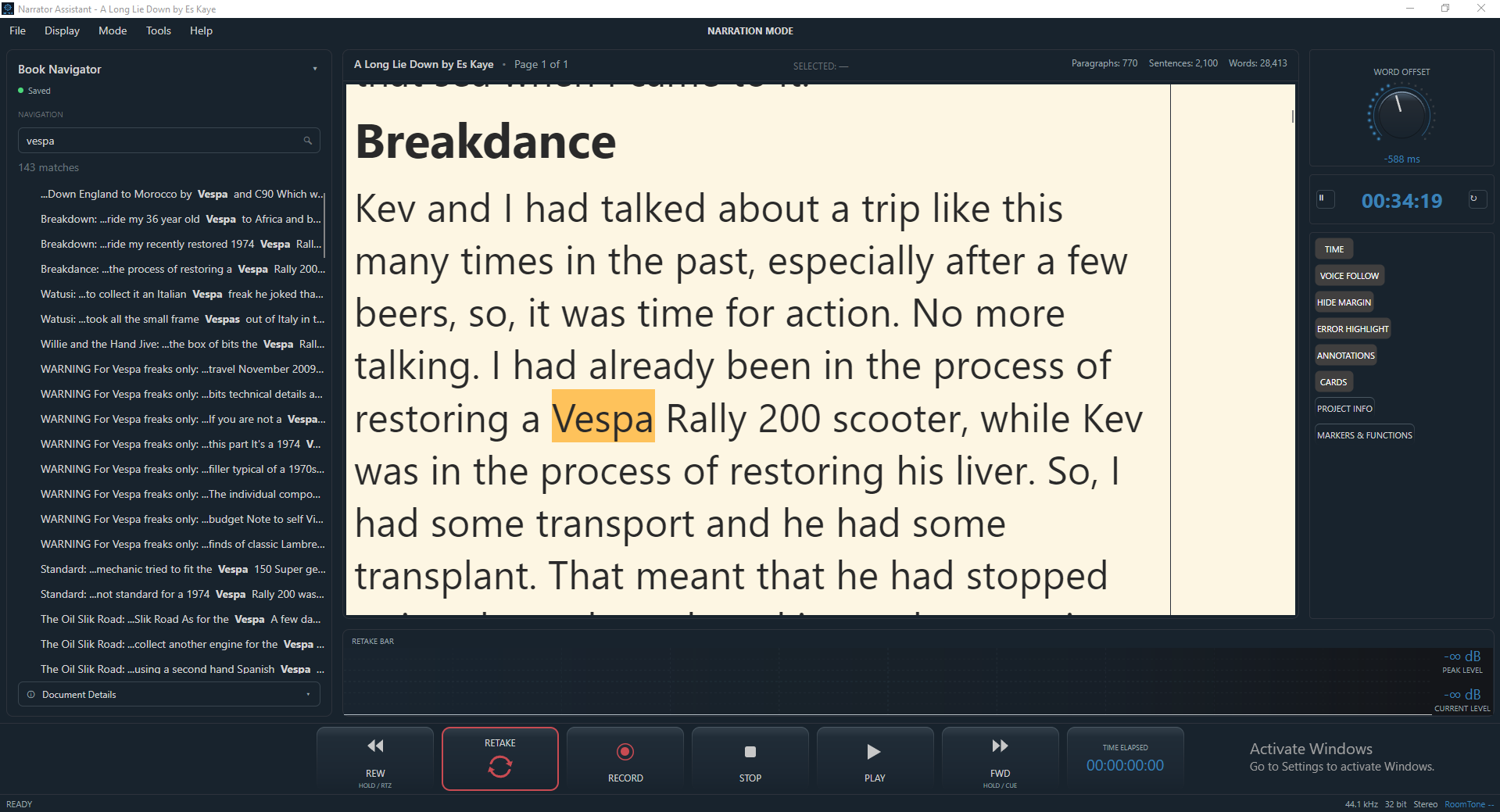
Finding the word in the manuscript is only the first half of the puzzle. Once you've found the word you then have to find the word in the DAW. ReTake can locate the word in the script and the DAW. This makes it easy to move from the manuscript to the exact point in the recording without searching through the timeline or script manually.
Ever wanted to use the DAW to locate a word in the manuscript? It's easy. Simply, move your playhead to anywhere in the audio track and click a button. It will then locate and highlight the nearest word position in the manuscript.
Need to find a particular word, phrase, passage, sentence or chapter in the manuscript? Word Search finds it the traditional way and highlights it for you.
AUDIO SEARCH
Locate a word in your DAW
Lost your place in the manuscript? You can also reverse search, choose any place in your audio and with one click it will take you straight to that word in the manuscript. No need to remember page numbers.
This makes it easy to check a particular line, review a previous take, return to a specific word or find your exact starting point when an editor asks for a specific phrase to be redone, all without searching manually through the timeline.
Here's an example that often comes up: the author or rights holder asks you to re-record a single word or phrase from the middle of a chapter. Normally that means opening a script reader and doing a search. Then you do the same with the DAW to find the correct place in the audio. And again, open yet another window with your notes. With ReTake, you can locate the exact word or phrase simply by searching from the navigation panel or directly from the script. With ReTake you can select a word in the script and start recording. No need for an extra screen for your notes, your DAW and your manuscript.
The rights holder can also use Annotation Mode to mark the script for you, record voice notes, etc., then send you the project file. You can then open the project in ReTake and retake your lines.