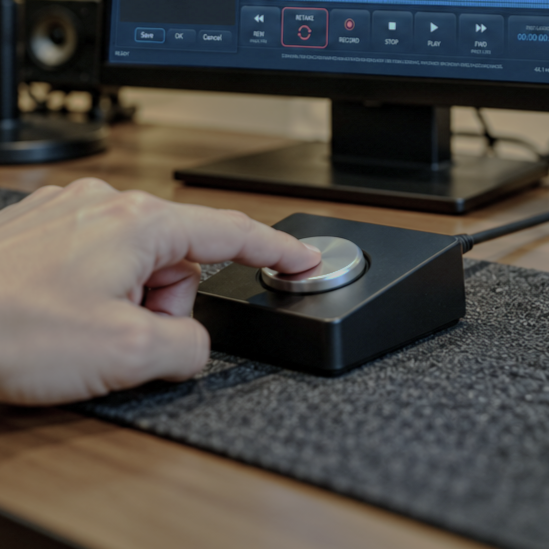
RETAKE
One screen. One window. One click. One take.
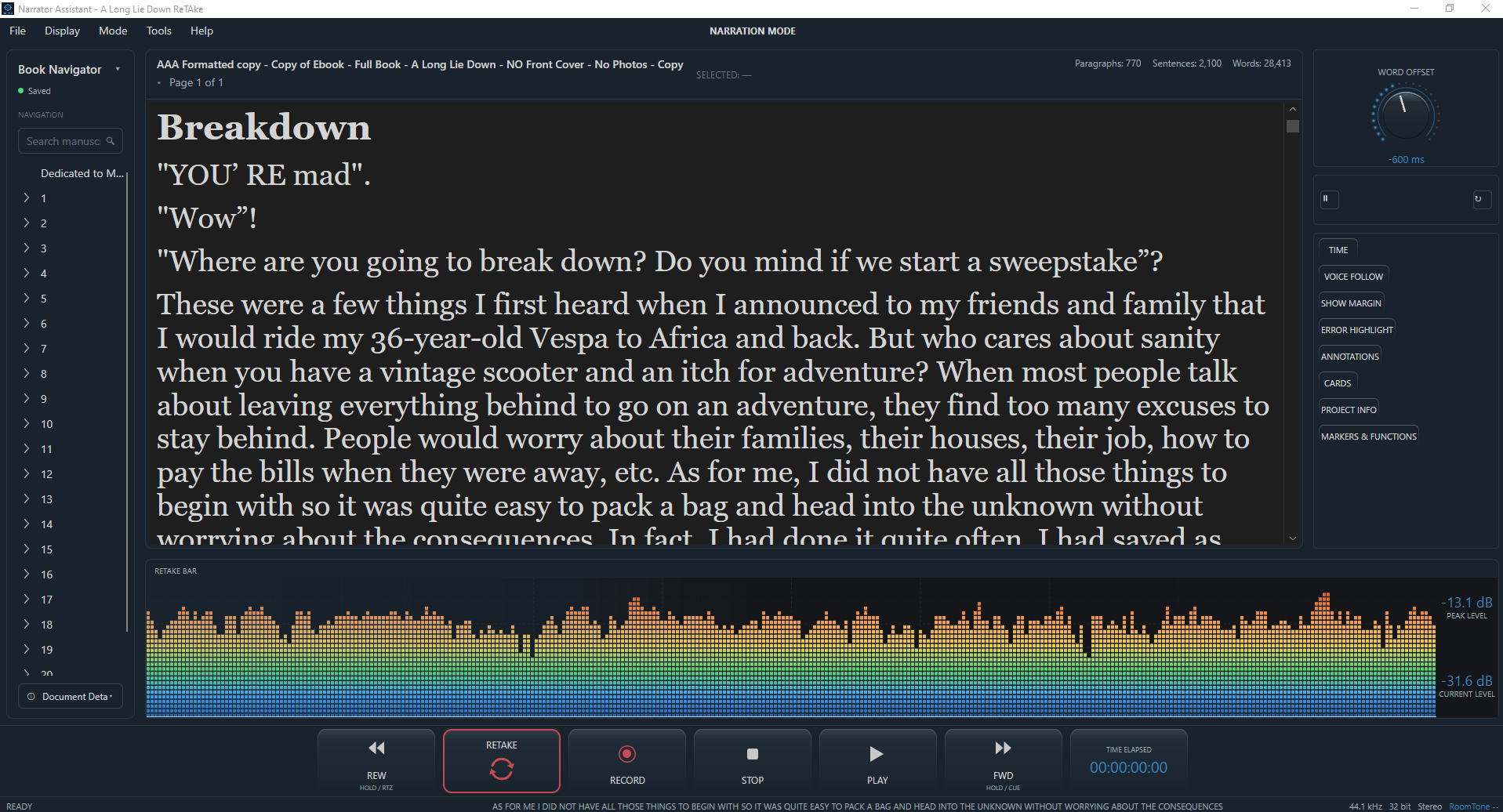
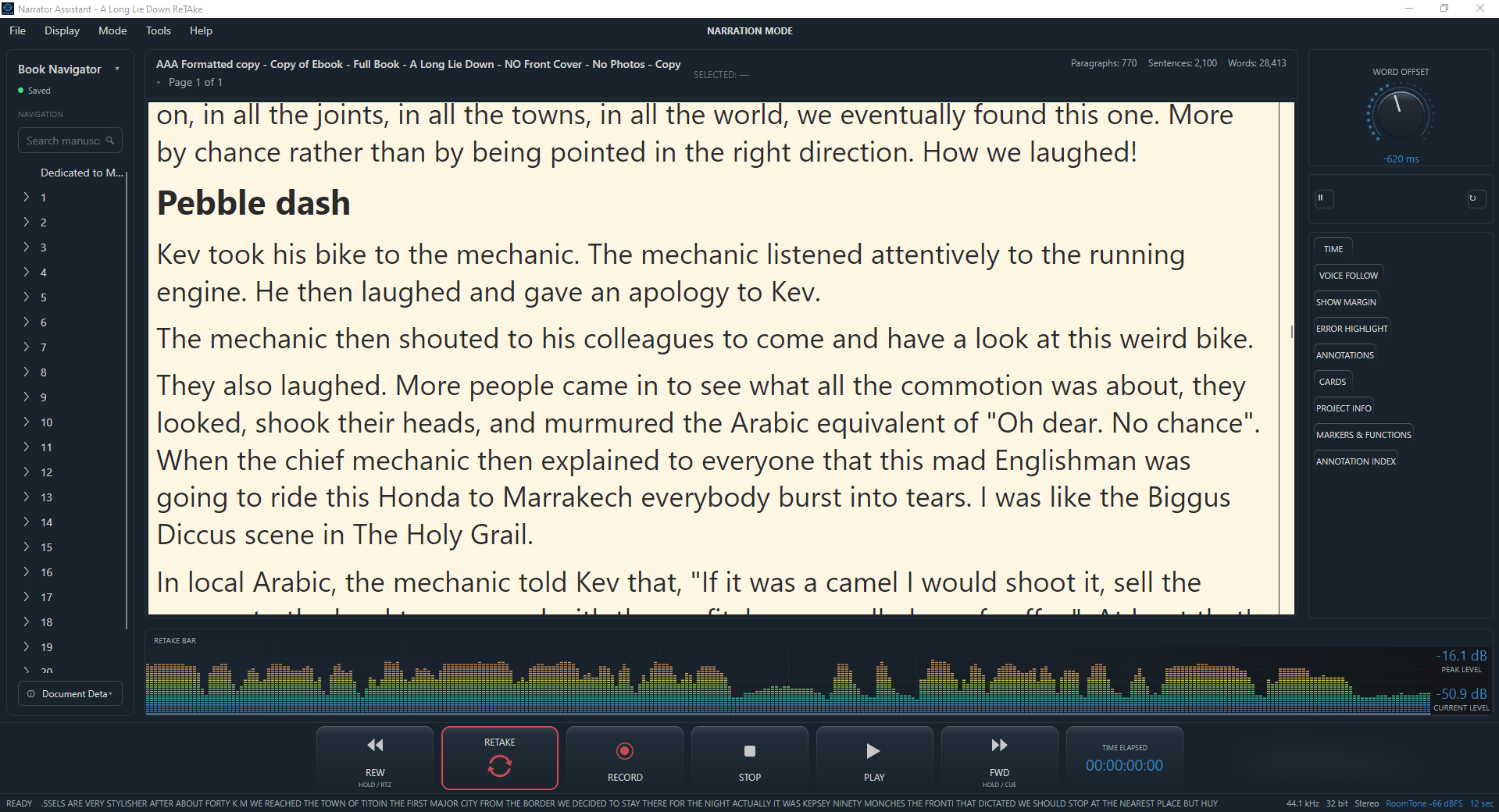
Imagine you're a few minutes into a chapter and you stumble on a word. In most setups, that costs you: pause, find the DAW, scrub back to the right spot, punch and roll, try to relocate your place in your script and resume. ReTake already knows where you are in the manuscript, so when you hit the ReTake button, it goes back to either your chosen word or to the beginning of the current sentence, which ever you choose. One-click punch and roll, without the searching.
If you prefer to be hands-free, use any compatible MIDI device as a foot controller, so the whole recovery process, from noticing the mistake, triggering ReTake, punch and roll, can all happen without you reaching for a mouse or looking away from the page. Yes! Hands-free punch and roll! And if you don't want to click anything at all, and want truly hands-free retakes, then check out The Future of Narration section here for exciting news.
One screen. One window. One click. One take.
ONE SCREEN
No need for two
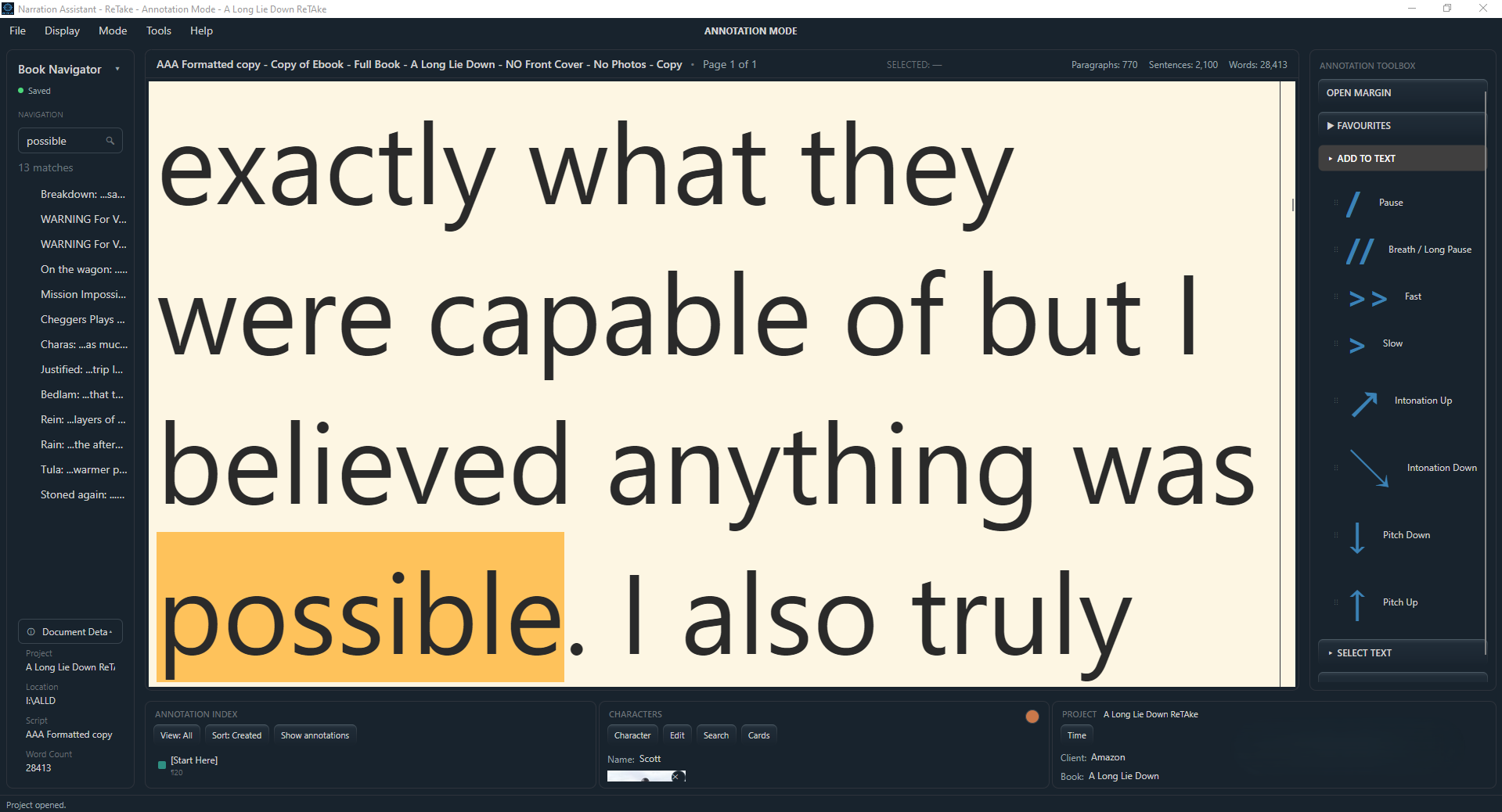
Here's an example that often comes up: the author or the rights holder asks you to re-record a single word or phrase from the middle of a chapter. Normally that means opening a script reader, doing a search. Then do the same with the DAW to find the correct place in the audio file. Another screen with your notes. With ReTake, you can locate the exact word or phrase simply by searching from the navigation panel. Then select that word in the script and start recording directly from that word. No need to line everything up. No need for an extra screen for your notes, your DAW and your manuscript.
That's what the single screen actually buys you: not just less hardware, but one consistent place to find everything. Using just one screen can give you the workspace you want. Less hardware. Less clutter. More room for the things that actually matter in your studio.
ONE WINDOW
No need for three
The more windows you have open, the more time you spend looking for the one you need. Script in one place. Notes in another. Audio level meters somewhere else. Then back to the recording software.
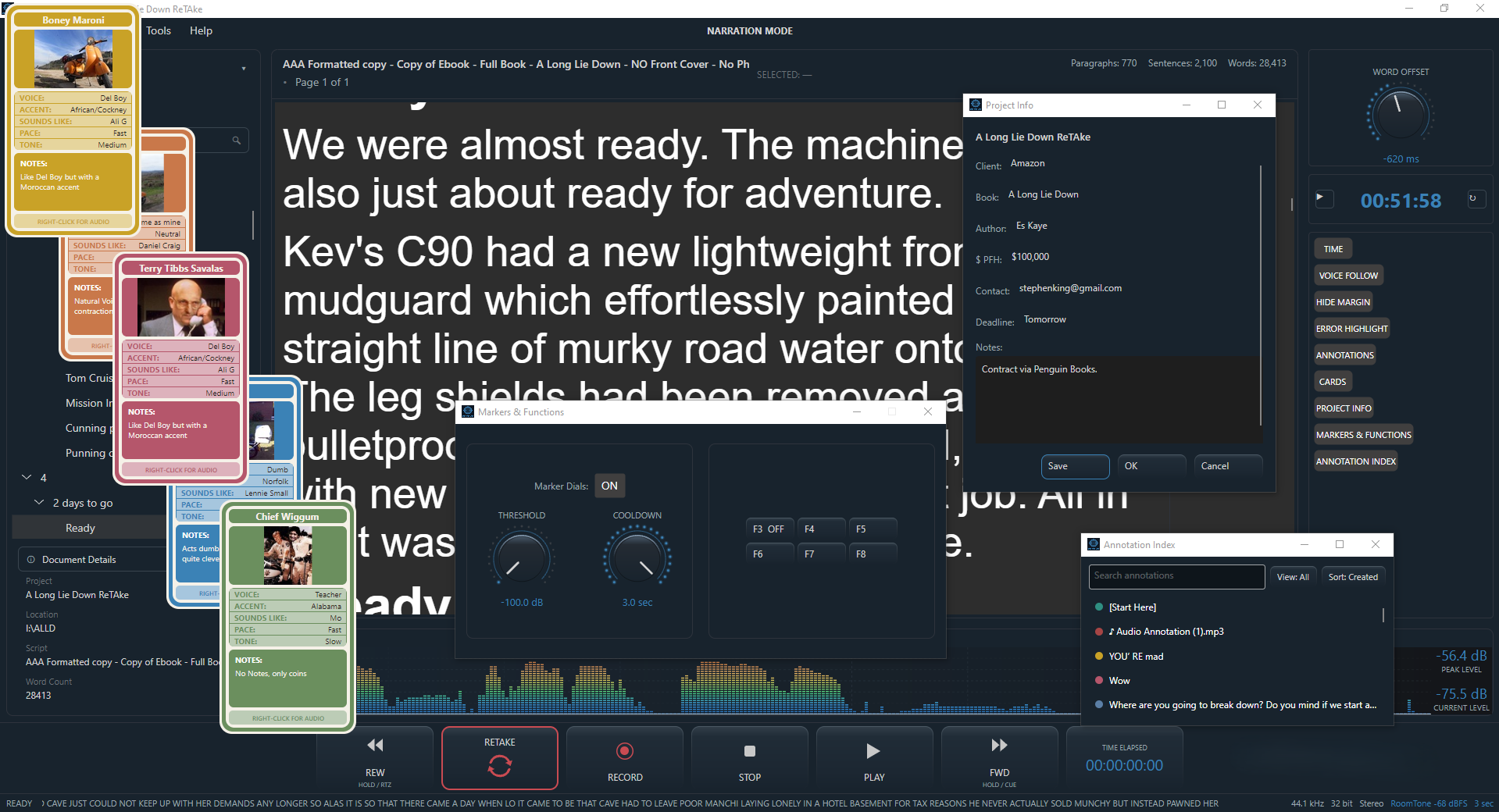
ReTake brings the narration-focused parts of the session together around your manuscript. Open only what you need without constantly changing windows. Built-in audio level meters show peak and current levels, including -60 dB room-tone guidance for audiobook recording and ACX requirements. You can adapt the window itself. Show or hide things with a click of a button, such as character cards, project notes, document margin, annotations, project time. None of it is mandatory. You can also expand each window panel you need, collapse the ones you don't, to give you even more script space.
The point is that a note, a character's voice reference, a word you're trying to relocate in the audio, your recording levels and annotations are all easily reachable from the same place you're already reading from and they don't distract you from your work, or hog all your screen space.
Less switching. Less searching. Less interruption.
ONE CLICK
No need for four
Make a mistake.
Hit ReTake.
This is the part that's different from most, if not all other narration software.
Want to start that sentence again from the beginning? ReTake automatically finds a suitable point from which to restart and begins the punch and roll sequence with just a click. No clicking backwards through the timeline. No dragging the playhead. No repeatedly checking the DAW to make sure you've landed in the right place. No losing the place in the script. You don't even need to hit the stop button. Just hit the ReTake button. You should barely notice the DAW stopping as it all happens so quickly. Just one click is all you need to complete the whole process. But what if it isn't just one take? Just hit the ReTake button again and again until you get it right.
What if you have a difficult word or phrase and it's at the end of a long sentence? You don't need to retake the whole sentence again. You can double-click on the word while still recording, without using the stop button and it will start a punch and roll from that word, or you can stop the recording, check your notes again, research the correct pronunciation, make a cup of tea, watch a movie... then select 'START From Word', or RETAKE From Word. That's it. You don't even have to hit record. Make another mistake on the same word? Hit the record button again until you get it right. Then proceed as normal.
And because ReTake handles all the stopping, searching, positioning, and restarting, you don't need to look away from the manuscript to do it. It's a small action that removes a surprisingly large amount of work. After you master the unique ReTake method, the only time you'll need to touch the stop button is when you finish your session.
You can also turn that one click into a hands-free Punch & Roll to keep narrating without reaching for the controls.
ONE TAKE
No need for more
A ReTake punch-and-roll, triggered by a single click or hands-free through a MIDI controller, is meant to disappear into the session, the kind of recovery that barely interrupts the flow, rather than one that stops it.
Stay with the script. Stay with the performance. Stay in the flow.