YOUR TEXT COMES IN
Your script comes first
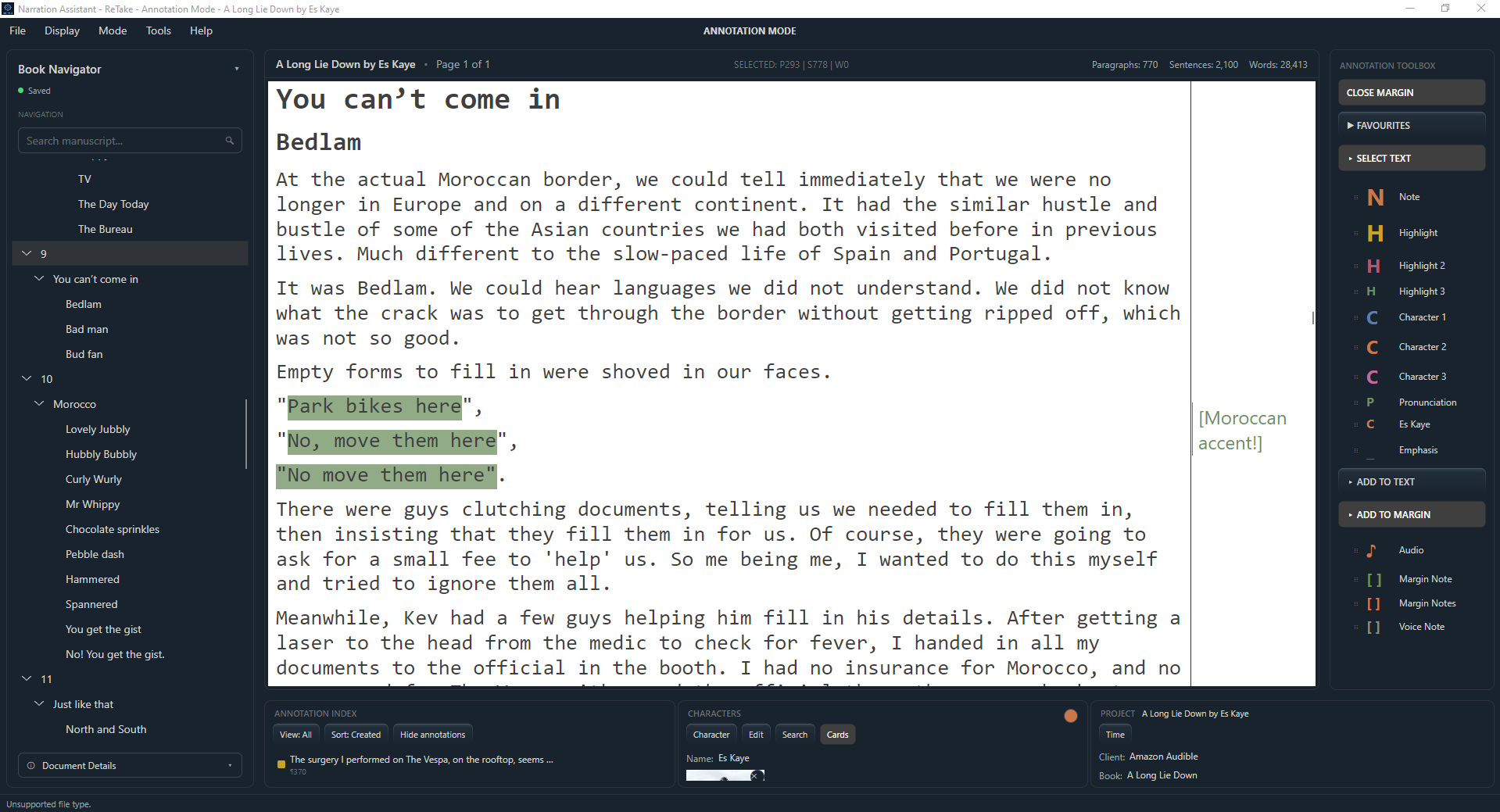
Drag and drop your script directly into the workspace. There's no need for a separate document viewer. ReTake works with TXT, DOCX, PDF, RTF and EPUB documents, and your original file is never altered. PDF files with selectable text are supported.
*Scanned PDF documents cannot be loaded into ReTake because they do not contain selectable text.
YOUR WORKSPACE
Find your place. Make it yours
Once imported, your manuscript appears in the main viewing area. The navigation panel lets you move between chapters and find words and phrases without scrolling through the whole document. You can even select a word from the text and directly locate that word in your audio recording. Ever lost your place in the script? Now you can select your position in the DAW and jump straight to that word in the manuscript, all with the touch of a button. Fast and easy.
You can also adjust how it looks. Studio and Daytime display presets are optimized for comfortable viewing, with control over font, size, text colour, background colour and brightness, or you can create your own personalized presets.
Hide or show annotations, margin, cards, notes, project timer with a click of a button. Expand or collapse the different panels to gain even more valuable space for your manuscript. From here, it becomes the foundation for everything that follows: preparation, annotations, and recording.