YOU PREPARE IT
Prepare your performance
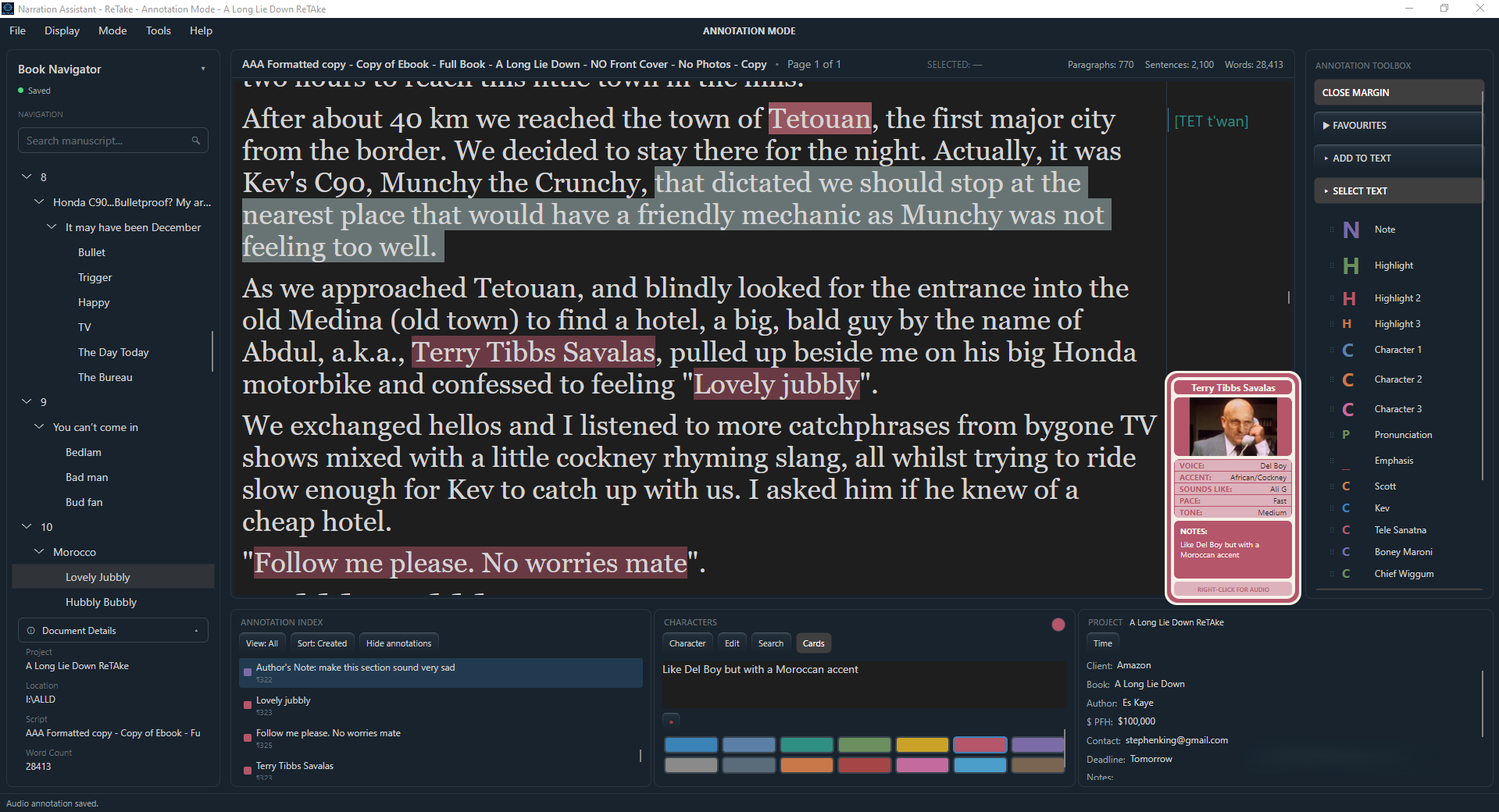
Before you record, ReTake gives you a dedicated space to read through your script, mark it up and prepare your performance while the script remains untouched. The rights holder can also use annotation mode to add notes - written or audio - and send you the project file.
Add mark-ups for pauses, breaths, emphasis, directions and notes directly to your script. Build character information, adjust the way your manuscript is displayed, and get everything ready before you press record.
Your script becomes your performance plan.
BUILD YOUR PERFORMANCE
Everything in place before you record
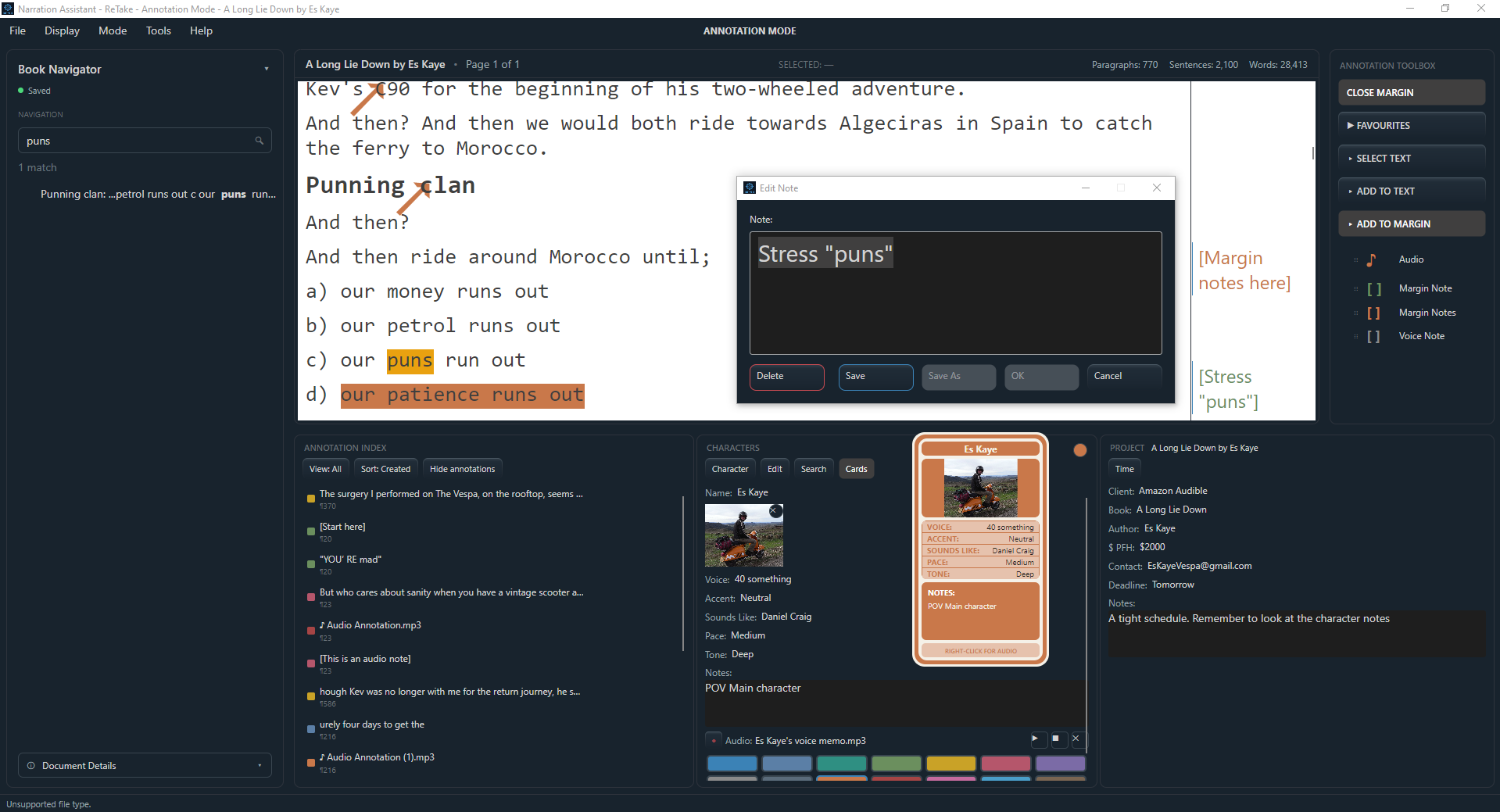
Mark up the script using your own favourites from the Annotation Toolbox, or record a short audio note for pronunciation, reminders and performance ideas, rather than typing it out and losing the thought.
For those that like to keep track of characters. Create a card for each character with voice details and performance notes. Add an image and record or import a short sample of the character's voice.
Make the manuscript work for you. Quickly switch between display presets, giving you control over font, size, text colour, background colour and brightness.